Companies like to measure the quality of “customer
experience,” or CX, that they’re providing, but gaining feedback can be
difficult. I hate it when I’m asked to submit a “very brief” survey and then several
minutes in I have to bail because it’s obviously not brief. I prefer the
happy/neutral/frowny, green/yellow/red buttons in airport restrooms for reporting the cleanliness level.
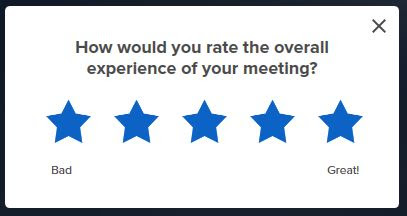
A videoconferencing platform that I use a lot, at the end of
every meeting, prompts me to “rate the overall experience of [my] meeting,”
from 1 to 5 stars. What if they also had a notes field to type in, since their
query is so incredibly general? Here’s what that might look like. (What follows
is a blend of fact and fiction.)
The good
BEST. MEETING. EVER. We had one of those guys who turns on
his camera even though everyone else’s is turned off, and based on your platform’s
default settings, he ended up being on my screen the whole time (and everyone
else’s too, I’ll bet). I actually got kind of tired of looking at him, but then
he abruptly got up and left the room. So now we were all just looking at his
empty chair, and people started talking shit about him! Freakin’ glorious. Nice
bit of comic relief during a long, boring day of online meetings.
--~--~--~--~--~--~--
OMG, I will never forget the “overall experience” of this
meeting. It was our All-Hands Call with like 60 or 70 people, and we all
assumed we’d be muted by default but we weren’t. Most of us figured this out (I
mean, it’s been like three years since we all started working from home, right?) but a few didn’t, so there was a bit of background chatter as people
were joining. And then we all hear, clear as a bell, “Do you need to go potty
outside?” I was already laughing and then, a second later, some other guy comes
off mute and says, “Nah, I’m good.” I almost cried.
--~--~--~--~--~--~--
I really love the half-assed way your platform handles audio
buffering when somebody’s Internet connection is bad. I mean, yeah, perfect
buffering would make it easier to understand people, but who cares? Some
motivational speaker once said, “Nobody will remember what you said but
everyone will remember how you made them feel.” As cheesy as that is, it’s
pretty much true. The highlight of my workday is usually when something goes
wrong, so I love love love it when somebody’s speech slows down to this
incredibly low-pitched crawl, like when something terrible happens on a stupid
TV action show and they show a super-slo-mo of, like, somebody striking out with a
knife and another guy throwing himself in the way yelling, “N-O-O-O-O-O-O” in
the super-slow, low voice. And even better, when your buffering then catches up
it overcorrects and the second half of the person’s sentence is like Alvin and
the Chipmunks! I have to scramble for the mute button because I’m totally
cracking up. Keep up the “good” work!
--~--~--~--~--~--~--
This meeting made my day. It started off with the usual BS,
with people talking over each other and a lot of mansplaining going on, and then this blowhard named Bruce takes over the screen and starts
sharing some dumb slide and blathering about it, and then someone else takes the
discussion way off track but without taking over the screen share. So Bruce is still
screen-sharing when he totally zones out and starts multitasking. He’s typing
up some email on a totally unrelated topic and we all stop talking and just
watch him for a bit. He’s so checked out he doesn’t notice how quiet it’s gotten
until somebody tells him, “Uh, Bruce, you made a typo.” Bust-ed! Everyone
starts laughing and I’ll bet he pretty much died of embarrassment. Which is
good, because he’s such a tool. He got what he deserved!
--~--~--~--~--~--~--
The bad
Look, I really like your platform, but since you asked, my
overall experience was not good. There’s this douchebag Carl who always commandeers our
meetings to go off about animal rights. He refers to animal husbandry as
“rape,” etc. and once he gets revved up it’s almost impossible to stop him,
even when the professor cuts in and says, “We’re trying to learn Photoshop
here.” I’m tempted to say, “Carl, whenever you open your mouth about animals, I
add ‘veal’ to my shopping list. And I make good.” So anyway, couldn’t you
install a feature where participants could vote to expel someone from the
meeting? Like, you could have some AI widget monitoring the chat and if enough
people type in “Eject Carl” it’ll just do it? I would be the biggest evangelist
for your product if you built that feature…
--~--~--~--~--~--~--
I’ve just about had it. I work for a tech company in Silicon
Valley and yet in this meeting that just ended, I could only understand about
half the people because the other half had crappy Internet connections. I like
how your software shows little green or red bars, so we at least know what the
problem is, but couldn’t you take that a little further and speed-shame these
people? Like, change their title banner to “TOTAL LOSER” if their throughput
sucks? It’s 2022, people. Get a real Internet connection. I’d understand if this
were some little school district in Cat Butt, Wyoming, but come on. This is
Silicon Valley.
--~--~--~--~--~--~--
Overall a good audio/video experience, but I can’t give you
more stars because I totally lost my focus during the meeting. Why? Because
some guy was presented with this big award, and in his little impromptu
acceptance speed he said, “I’m truly humbled to win this award.” In what
universe is that true? Winning an award doesn’t humble anybody. It goes right
to their heads, and then they probably feel all sanctimonious when they
graciously say, “I’m humbled.” What a bunch of shit.
--~--~--~--~--~--~--
The main presenter in this meeting actually had a lot of
interesting stuff to say, but I could barely understand him because a) the
audio wasn’t that great to begin with, and b) he was wearing a frickin’ COVID mask! I mean, WTF? Does he really think he can spread an actual, non-metaphorical,
living virus over the Internet? I never realized how much I rely on lip-reading
when the sound is bad. Maybe this guy just wanted to make sure we couldn’t understand him? Whatever, dude.
--~--~--~--~--~--~--
Every meeting I’m on, we get people showing up late or not
at all, and then apologizing because their PC rebooted or their home Internet went down. It’s like
the modern day equivalent of “the dog ate my homework.” I guess it’s not enough
that you have a great conferencing app that runs on a smartphone so they don’t need their PC or WiFi. Could you offer a
deluxe conferencing package with shock ring collars to remind people to use
their fricking phones when their PCs are down? I’d totally pay extra for that.
--~--~--~--~--~--~--
How do I lock out late arrivals? I cannot find this in your
help menu. Today some guy showed up 26 minutes late for a 25-minute meeting and
then proceeded to hold the floor for the next ten minutes and I really had to
pee.
--~--~--~--~--~--~--
Could you make the audio mute and video mute buttons farther
apart, and/or more distinctive? Today I had both my audio and video muted, and
then someone asked me a question, and I scrambled to un-mute and accidently
un-muted my video but not my audio. So then I suddenly appeared onscreen, with
my disheveled hair and 3-day beard, my mouth going 90 mph but no sound, and five
people all saying at once, “You’re muted!” So
embarrassing.
--~--~--~--~--~--~--
Can you improve the noise-canceling? So many of my colleagues
work from home, the virtual meeting room sounds like a fricking day care. Just a suggestion since apparently some teleworking parents don’t believe in telling their kids to shut the hell up.
--~--~--~--~--~--~--
The ugly
Your video conference experience is mostly great. I like how
I can tile all the participants, because with that other mode where it keeps
switching to whoever is talking, I start to get dizzy. But could you add a
feature where I can selectively mute someone’s video feed from my end? God
forgive me, but some of these people are pretty homely.
--~--~--~--~--~--~--
Mostly great platform but man, you guys have got to do something about the fake
background. It’s not just that I get sick of looking at a cheesy backdrop like
the beach (though I do), but the way your software figures out the outline of
the person just isn’t effective enough. Sometimes it looks like a person’s head
is cut out of construction paper, or rendered with really bad VR like that
“Money for Nothing” video from the ‘80s. There’s this one guy in my meetings who gestures a lot
with his hands, and when he gets animated his hands keep vanishing and then
reappearing on the screen and it’s totally
distracting.
--~--~--~--~--~--~--
I want to start by saying your videoconferencing is amazing!
I’m one of those people who can remember the very early days of this technology
when the resolution was terrible, all grainy and pixilated with stops and starts
and gaps and everything, and now it’s so smooth and hi-res. In fact, it’s
actually a bit too hi-res. Which
brings me to my request. You know how you can blur the background, so nobody
can tell your home office is a mess? Well, could you maybe have a feature to
blur the foreground, as in me? My HD
camera is mercilessly clear and I’m ashamed of my eyebrow dandruff.
—~—~—~—~—~—~—~—~— Email me here. For a complete index of albertnet posts,
click here.
Vlog This post is available as a vlog. Watch on your phone, tablet, Jumbotron, or in IMAX theaters everywhere. If the sight of my face bothers you, switch to podcast mode by closing your eyes. Or, scroll down for the traditional Gobs-O’-Text version.
Introduction
As companies continue to ask employees to telework in
response to COVID-19, you might find yourself in unfamiliar territory—your own
home. What is this place called “home” where you’re suddenly spending so much
time? Who are these people called “family”? And how do we keep this “new
normal” from destroying our careers? This post walks you through a menagerie of
best practices.
Define your workspace
Sure, your kitchen, dining room, bedroom, and garage may
seem totally familiar—but take some time to explore other areas of the house
that may seem new to you. Who sleeps in these other bedrooms? What is this
strange space called the “living room”? What goes on in the basement?
It might be tempting to involve your whole house in your
teleworking. You could take your laptop to the sofa, the La-Z-Boy armchair, or
your back deck and expect to get work done. Experienced teleworkers will tell
you they tried this and it simply doesn’t work! Sofas are made for sleeping,
not marching toward quarterly performance goals. As for taking your conference
call out to the back deck, nobody wants to overhear birdsong—that’s just
depressing. What’s next, taking your laptop into the bath? Don’t take the bait.
Dock your laptop in the home office, and act like you’re chained to your
desk—just like good old days before teleworking and COVID-19.
Prioritize privacy
Whether you work from your home or in a common area, take
five minutes to assess the privacy of your workspace. Can someone standing behind
you read your computer screen? What if your spouse, or your kid, is hunting for
trade secrets? It may seem like “all in the family” now, until your teenager
suddenly has a coveted internship with your competitor and they start poaching
your customers!
Is it okay to work from Starbucks? Well, that depends. Is
your local Starbucks even open? If you broke in, or pushed past their ad hoc
takeout window, that may strike your colleagues as unprofessional behavior.
Conversely, if your local Starbucks is open,
because you live in one of these benighted cities that don’t believe in COVID,
your colleagues may be shocked, during a videoconference, to see unmasked
idiots seated near you. This could be a major distraction, so it’s probably
best to work from your actual home.
Have a good Internet
connection
Set up your workspace near your wireless access point (WAP).
If the WAP is in the kid’s room, and you’re out working in the garage with the
furnace duct blocking the signal, you won’t have a good WiFi experience and
neither will your colleagues. Trade places with your children, even if
banishing them to the garage—with all its toxic cleaners, solvents, and sharp
tools—presents a significant risk. At this point you may wonder why you
installed the one WAP in the house in their room to begin with. Or did your
children do the install? How old, exactly, are these hypothetical kids? A
couple sentences back they seemed like children or toddlers, and now they’re
high school seniors with internships at Cisco. You can see how complicated
teleworking gets!
You might want to splurge on a true business-grade Internet
connection. A fully redundant setup such as dedicated concentric Synchronous
Optical Network (SONET) rings can be acquired for just a few thousand dollars a
month. You can defray this cost by installing an outdoor, all-weather WAP that
your neighbors can tap into—for a fee. Just remember to let them know when you
change the SSID password, or they might soon be offline and out of a job!
Audiovisual presence
Many first-time teleworkers commit the “rookie move” of failing
to optimize their video conferencing setup. For example, the angle of their
laptop screen—where the built-in camera is housed—might be set such that their
nostrils seem to gape, or the age-related folds in their neck are accentuated. Take
some time to set this up right. This might mean sitting with your back to a
brightly lit window, so that you appear as just a silhouette, which creates an
air of mystery even as it hides signs of ageing, frustration, or boredom.
Don’t neglect your audio connection either. The built-in mic
on your modern laptop might be quite good, so it’s tempting to just use
that—but then you lose the opportunity to show off your wealth and status by
rocking Apple AirPods during videoconferences. Not feeling that flush? Here’s a
simple hack: snip off the cords from a cheap pair of white earbuds and wear
those, while actually using the audio from your laptop’s speakers and built-in
mic. Trust me, your colleagues will never know the difference!
Note that in some cases, your video camera shouldn’t be used
at all. For example, if your manager and director both approved the purchase of
an external monitor for your home, but they see you plain as day on the video
conference, they’ll know you’re just using your undocked laptop. They’ll figure
out right away that that expensive hardware billed to their cost center is
being used by your kids for gaming. Don’t get fired just because you’re a “cool
dad!”
The mute button
Perhaps no other technology has stymied as many people as
the mute button. Whether it’s a physical button on a telephone handset, or an
onscreen button you click or tap, it seems to have a mind of its
own. Does
anything erode your professional reputation as badly as colleagues telling each
other, “I think he’s on mute” and yelling, “Bob, can you hear me? You’re on
mute!”? Why, yes: forgetting to mute before screaming at your children or
muttering profanities to yourself. (And you thought that was a rhetorical
question!)
Take some time to master this “mute button” technology.
Practice with your colleagues, or even with your kids, outside of scheduled
calls. Also, learn to spot the telltale signs that you’re accidentally muted:
nobody answers your question, or nobody responds to your statement, or people
talk right over you. If these things are happening, it’s time to un-mute. (Now,
if you’re already un-muted and these
things are still happening, it may be
time to find a new job.)
Eliminate distractions
Alas, teleworking can mean pets, children or a favorite
hobby are only a few feet away. If you give in to temptation, you might find
yourself totally distracted, doing something you actually enjoy or talking to
people who really care about you and have interesting things to say. This can
derail your career as surely as a three-martini-lunch habit. It’s best to nip
these distractions in the bud. Chase your cat around the house screaming until
she’s terrified of you, and she’ll steer well clear of your workspace going
forward. Alienate your children by bawling them out over petty offenses—or
better yet, get all Tiger Mother on them. They’ll stop coming around to chat,
no matter how bored they get. Harsh, yes, but sometimes career’s got to come
before family.
Sometimes the distractions can come from just outside the
home. It seems like every city in America is taking advantage of
shelter-in-place to fast-track civic projects like road maintenance and sewer
main overhauls. Construction sounds aren’t just distracting—they’re
unprofessional. Nobody wants to overhear a jackhammer or earth-moving machine
during a conference call. A polite letter to your city council can work
wonders—maybe they’ll put their projects on hold until your next vacation. If
that doesn’t work, talk to the construction workers themselves. Explain to them
how important your business calls are, and how much revenue is at stake. You
might be surprised how accommodating they are. Many foremen will be happy to
reschedule their work crews until after business hours.
Despite your best intentions and practices, you’re bound to
get distracted from time to time, especially during long conference calls.
Inevitably, somebody will ask you a question and catch you off-guard. This
happens time and time again, and often the distracted party will try to save
face by pretending he or she was paying
attention. “I’m not sure I understand the question” is one such ruse, another
being, “Can you provide a little more context?” Or, the person will try to win
points by “coming clean” and saying, “I’m sorry … I [was multitasking] [zoned out] and didn’t hear the question.” Neither of these is acceptable. The
first two are transparently disingenuous, and thelast one disrespectful—as if it’s okay to be
distracted.
The only truly professional response is a sincere apology:
“I’m sorry, I didn’t hear the question because I was totally distracted. I
don’t even have the context. I know this is unacceptable and I promise to try
harder. When you consider how many people are on this call … let’s see, there’s
ten of us, and this is an hour-long call, which equates to about $400 in wages …
gosh, it’s such a waste for anybody not to be bringing his A-game. Which is
why, starting now, I’m going to turn over a new leaf. From now on, you will
have my complete and undivided attention, and what’s more…” Keep on like this
for as long as you can, like a filibuster. That way, it’s highly likely nobody
will ever ask you a question during a conference call again.
Be intentional
As the pandemic creates new and uncomfortable ways of
working, setting up regular routines and workflows can help you stay effective.
Being intentional means “doing things
with intent.” For example, joining a videoconference or working on a
spreadsheet is something you would do “on purpose,” which is to say
intentionally. Knocking your coffee over on your keyboard would be unintentional. Know the difference. You
can’t be an effective teleworker if most of your actions are accidents.
Nurture workplace
socializing
Many of us truly miss the water cooler and employee
lunchroom. Teleworking can be lonely, especially when you’ve totally alienated
your family, so be creative about how to interact with your colleagues.
Consider making time for “virtual coffee breaks” using video chat. Please note
that the coffee, in these instances, does not need to be virtual. Drinking an
actual steaming mug of your favorite beverage is more enjoyable than settling
for an icon, GIF, or even a high-res JPG file depicting it. If possible, get
that “cuppa joe” into the video frame, to make your coffee break seem more
real! But don’t get carried away … try to consolidate your virtual coffee
klatches, to cover all your colleagues at once. Otherwise, by the time you’ve
“made the rounds,” you’ll have had like eight cups and will be shaking,
irritable, and unable to focus. (That is, more so than usual.)
Consider if
teleworking is actually appropriate
Yes, we all take orders from management and tend to comply.
But if you think teleworking really isn’t right for your role, speak up! For
example, if you are an EMT and have shifted to working only from home, your
customers—that is, your patients—will definitely feel the difference. If you
can help your employer to understand that your job performance is suffering,
and that in fact lives could be lost, they may well heed your advice. If they
don’t, though, just back off … consider that they may have a more nuanced
understanding of these things.
Go easy on yourself
Especially with the added stress of the pandemic,
teleworking can be stressful. You might not always feel as productive working
all alone in your home office, and nowadays the fact that you actually showed
up to work is not always visible to your colleagues. If you find your focus
lacking, maybe it’s time for a break. If your employer doesn’t offer paid
sabbaticals, try to get an unpaid one. If that doesn’t work, sometimes it’s
best to simply resign.
As with all workplace adjustments, don’t take any rash steps
until you look at the big picture. If you have a sizable trust fund and your
spouse’s employer offers healthcare, it’s a slam dunk … otherwise, you might
want to consider if unemployment is right for you. Sure, the stigma if being
“on the dole” has greatly diminished in this new era, but many people find that
a stable income and benefits may actually be worth the stress of employment.
Separate the personal
and professional
Video conferencing tools like Google Meet, WebEx, and Zoom
are now being used for both our professional and social activities. In many
cases, people are socializing with far-flung friends more often than before the
pandemic took hold. But there’s a downside to this: all that teleworkplace videoconferencing
can lead to “Zoom fatigue,” where you spend so much time looking at faces on
screens, your socializing starts to seem like work. Take stock of your
situation and decide if this is a good time to even have a personal life. After all, is it worth the risk that you’ll
spoil friendships by equating your pals with workplace stress? Maybe it’s best to cut off
all contact with friends and family until after the pandemic. Don’t worry,
they’ll almost certainly still remember you when all this is over.